Your first
investigation.
Follow a connection through 60 real papers on seismology and machine learning. Then ask a focused question and check the answer against its source.
You need Graphite Desktop. No Zotero account is needed. The Zenodo PDF archive is about 412 MB; optional AI models are separate downloads.
Make the demo yours.
Open Data Source (shown as Demo source when the demo is active), then choose Use demo data. The 60-paper metadata collection is available immediately.
- Choose Prepare library for AI. Review the archive size and choose Download and prepare to get the PDF ZIP from the published Zenodo record.
- Already have the Zenodo archive? Choose Already downloaded? and select the ZIP directly. Keep it zipped.
- Watch preparation beneath the button. Graphite verifies the PDFs and prepares searchable text and citation connections.
- If Embedding model needed appears, use Install embedding model, then Resume preparation.
Checkpoint: Review Library prepared and any items needing attention. An answer model is a separate step; you can explore and read now.
Using your own library? In Zotero Desktop, open Settings > Advanced and enable Allow other applications on this computer to communicate with Zotero (official setup). Keep Zotero running, then choose Data Source > Use Zotero in Graphite.
The download is unavailable in my build
Download the verified ZIP in your browser and import it with Already downloaded?. Use the archive supplied for this demo version; Graphite verifies its contents.
Find a paper
through its year.
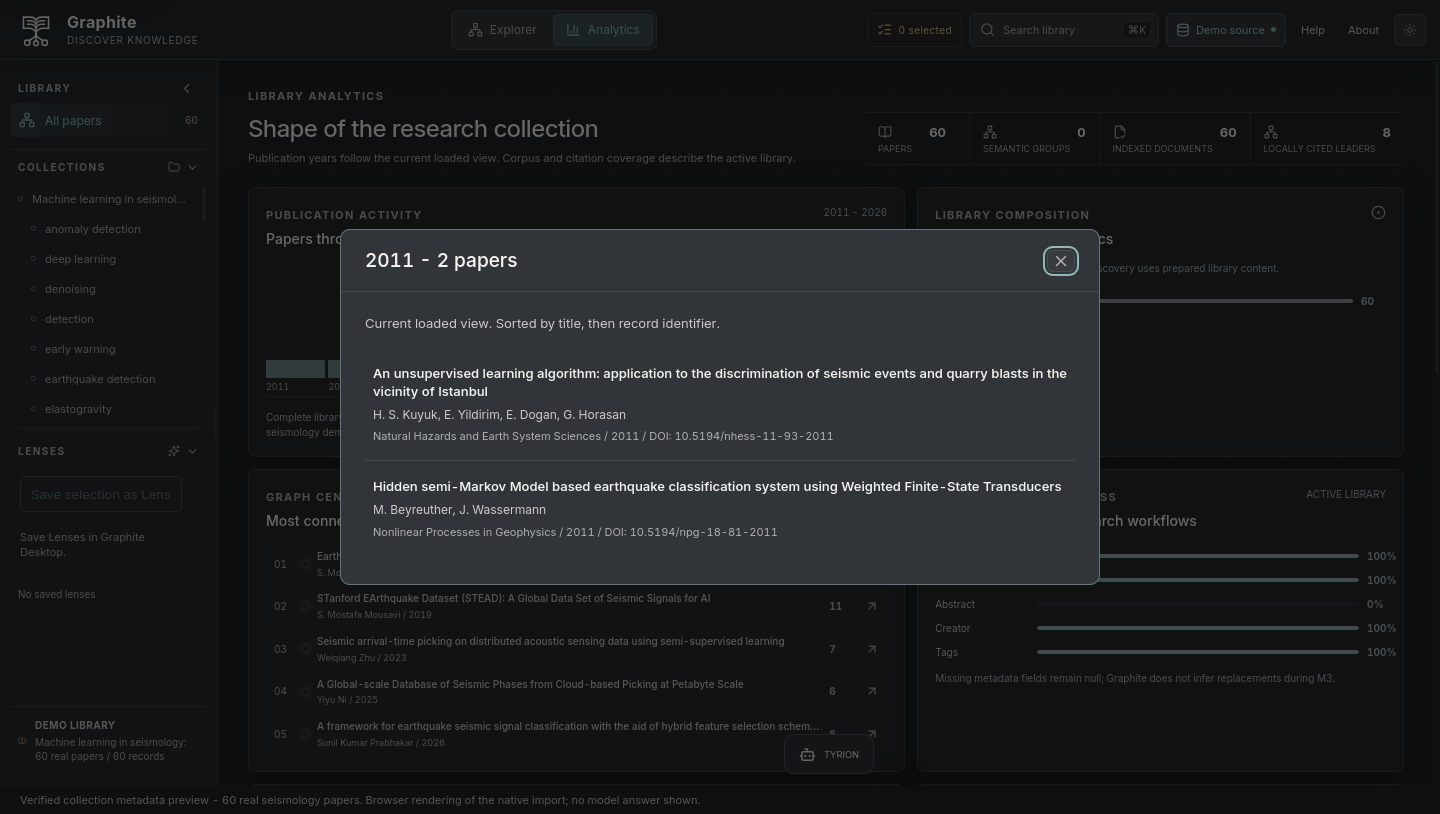
Open Analytics and select 2011 in the publication-year chart. You should see two papers. Select a title to return to the graph with that paper in focus.
Switch between 3D and 2D. Use Fit graph to recover the overview. Select a paper to inspect it; double-click to move closer.
Checkpoint: The selected paper stays your focus when you change views. Shared-topic connections indicate curated subject overlap, not a paper citing another paper. Automatic topic colors require semantic library preparation. Before that, nodes are neutral and existing relationships still work. After preparation, open TOPIC MAP to inspect coverage, then Group By Topic to arrange the discovered groups. Labels are suggestions from source text, not verified scientific classifications.
Go back
to the paper.
In Search library, look for Deep learning for fast simulation of seismic waves in complex media. Select it and choose Open paper in the inspector.
Use the Reader's page navigation, zoom, and find controls to inspect the methods. Return to the graph when you need the surrounding context.
Try Explore citations on a prepared paper and inspect the underlying reference evidence. Extraction can miss references; use the PDF to check them. Graph distance and semantic similarity are not scientific proof.
Checkpoint: You can open the original PDF. If it is unavailable, return to preparation and review coverage. Metadata alone does not mean that a PDF is ready.
Ask. Inspect.
Decide.
Open TYRION > Setup, keep Built-in model selected and install an answer model. Review the download size first. Graphite finds relevant passages; the answer model uses them to write a response.
Already running a model in Ollama or LM Studio on this computer? You can reuse it through Advanced: answer model > Another app on this computer. Keep that app's local server running. This option does not connect directly to a LAN server, VPS, GPT or Claude cloud service.
With the wave-simulation paper selected and indexed, limit TYRION's context to that paper and ask:
Which neural-network architectures does this paper use?
Open each inline source citation. Read the supplied passage and, when available, its Reader page. Check that the paper supports the claim and that the answer stays within the selected scope.
Checkpoint: You can trace each supported claim back to a passage. Answers vary with the model and evidence; an insufficient-evidence response is appropriate when the paper does not support the question.
Try an unrelated question next. A useful assistant should acknowledge missing evidence. A fluent answer alone is not a successful result.
Pick up where you left off.
With a demo paper selected, choose Save selection as Lens in the sidebar. Name it Wave simulation methods and save your research question with it.
Quit and reopen Graphite, return to the demo library, and click your saved Lens. Its papers and question remain available.
To remove a saved Lens, choose Edit, then Delete Lens and Confirm delete Lens. Keep Lens returns to editing. Deletion keeps the papers and PDFs.
To expand the investigation, return to All papers, select another paper, then choose Edit beside your Lens and Add selected papers. Save the revised membership.
Open the Lens and choose Ask about this Lens. Check that TYRION shows This Lens only before sending your question. Use at most 64 available papers for this explicit AI scope.
Checkpoint: The saved Lens survives restarting the app. Its membership changes only when you edit it, and answer citations come from the chosen set. You can also save a Temporary Lens created from TYRION's source papers.
Bring your own question.
Connect your Zotero library, prepare its available papers, and repeat the same workflow.
Connect Zotero Collection details and attribution